Last updated on
Preview in SwiftUI
Once you have finished the SwiftUI code, it is always a good idea to preview it before implement any function code. Luckily, such feature is natively supported by SwiftUI - PreviewProvider:
Example of showing previews:
import SwiftUIstruct PurchaseButtonView: View { var title: String var callback: () -> Void
var body: some View { Button( action: { self.callback() }, label: { HStack { Spacer() Text(title).bold().padding() Spacer() } } ) .foregroundColor(.white) .background( //RoundedRectangle(cornerRadius: 8) LinearGradient( gradient: Gradient(colors: [Color.red, Color.blue]), startPoint: .leading, endPoint: .trailing ) ) .cornerRadius(16) }}
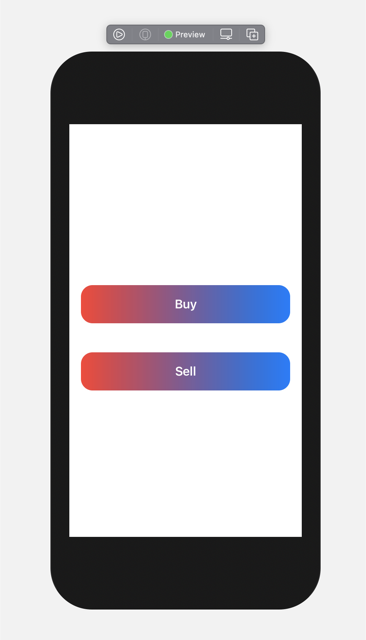
struct PurchaseButtonView_Previews: PreviewProvider { static var previews: some View { VStack { PurchaseButtonView(title: “Buy”) { print(“Buy button clicked”) }.padding() PurchaseButtonView(title: “Sell”) { print(“Buy button clicked”) }.padding() } } }
The preview:
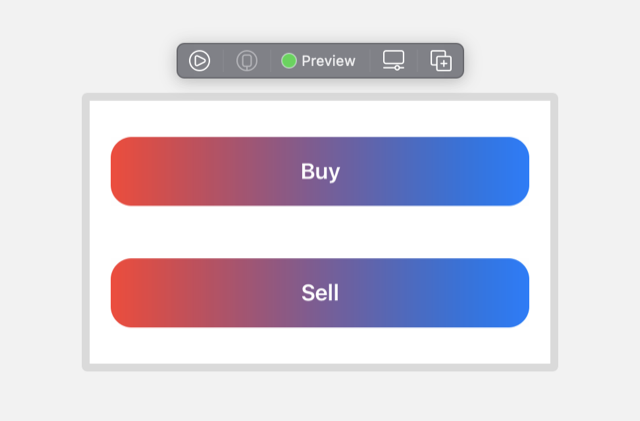
Or if you prefer, we can use the fixed size:
struct PurchaseButtonView_Previews: PreviewProvider {
static var previews: some View {
VStack {
PurchaseButtonView(title: “Buy”) {
print(“Buy button clicked”)
}.padding()
PurchaseButtonView(title: “Sell”) {
print(“Buy button clicked”)
}.padding()
}
.previewLayout(.fixed(width: 350, height: 200))
}
}
Preview: